Posts tagged as:

Productivity

How much does typing speed matter?

by John on December 9, 2010

How important is it to be able to type quickly? Jeff Atwood has said numerous times that programmer must be a good typist. For example, a few weeks ago he said

I can’t take slow typists seriously as programmers. When was the last time you saw a hunt-and-peck pianist?

But programming is not like playing piano.  Programming is more like composing music than performing music. Most composers can play piano well, but some cannot.

What if you write prose rather than programs? In his book On Writing, Stephen King recommends writing 1000 words per day. If writing were only a matter of typing, how long would that take? Half an hour at a modest rate of 30 words per minute. Say you have to type 2000 words to keep 1000 due to corrections. Now we’re up to an hour. People who write for a living do not literally spend most of their time writing. They spend most of their time thinking.

Clearly it’s good to be able to type quickly. As I’ve argued here, the primary benefit of quick data entry is not the time saved in data entry per se, it’s the increased chance that your hands can keep up with your brain.

However, a slow typist can still be productive. Consider physicist Stephen Hawking. He is only able to communicate to the world via a computer, ALS having destroyed nearly all of his motor control. For years he controlled his computer via a switch he could toggle with his hand; he now uses a camera that detects blinks. He says he can type 15 words per minute. Still, he has managed to write a few things, 194 publications from 1965 to 2008. You may have seen some of his books.

Learning to type well is a good investment for those who are physically able to do so, but it’s not that important. Once you reach moderate proficiency, improving your speed will not improve your productivity much. If a novelist writing 1000 words per day were able to type infinitely fast, he or she could save maybe an hour per day.

You many not be able to increase your typing speed too much no matter how hard you try. According to Guinness Book of World Records, Barbara Blackburn was the world’s fastest English language typist. She could sustain 150 words per minute. That means she was only 10x faster than Stephen Hawking. Most of us are somewhere between Stephen Hawking and Barbara Blackburn. In other words, nearly everyone types at the same speed, within an order of magnitude.

Related posts:

Experienced programmers and lines of code
Dumb and gets things done

{ 111 comments }

Maybe you only need it because you have it

by John on December 7, 2010

Some cities need traffic lights because they have traffic lights. If one traffic light goes out, it causes a traffic jam. But sometimes when all traffic lights go out, say due to a storm, traffic flows better than before.

Some buildings need air conditioning because they have air conditioning. Because they were designed to be air conditioned, they have no natural ventilation and would be miserable to inhabit without air conditioning.

Some people need to work because they work. A family may find that their second income is going entirely to expenses that would go away if one person stayed home.

It’s hard to tell when you’ve gotten into a situation where you need something because you have it. I had a friend that worked for a company that sold expensive software development tools. He said that one of the best perks of his job was that he could buy these tools at a deep discount. But he didn’t realize that without his job, he wouldn’t need these tools! He wasn’t using them to develop software. He was only using them so he could demonstrate and sell them.

It may be even harder for organizations to realize it has been caught in a cascade of needs. Suppose a useless project adds staff. These staff need to be managed, so they hire a manager. Then they hire people for IT, accounting, marketing, etc. Eventually they have their own building. This building needs security, maintenance, and housekeeping. No one questions the need for the security guard, but the guard would not have been necessary without the original useless project.

When something seems absolutely necessary, maybe it’s only necessary because of something else that isn’t necessary.

Related post:

Defining minimalism

{ 9 comments }

The snowball strategy says to pay off your smallest debt first, then the next smallest, and so on until you’re out of debt.

When I first heard of this I thought it was silly. Clearly the optimal strategy is to pay off the debt with the highest interest rate first. That assessment is mathematically correct, but psychologically wrong. The snowball strategy provides a sense of accomplishment and encouragement by reducing the number of debts as soon as possible. Ideally someone would be able to pay off at least one debt before their determination to get out of debt wanes.

My point here isn’t to give financial advice. I bring up the snowball strategy because it is an example of a problem with an obvious but naive solution. If someone is overwhelmed by debt, they need encouragement more than a mathematically optimal strategy. However, the snowball strategy may not be psychologically optimal for everyone. This further illustrates the idea that optimal real-life strategies are more complicated than mathematical models.

Many things that don’t look optimal are in fact optimal once you take the necessary constraints into account. For example, software that seems poorly designed may in fact have been brilliantly designed when you consider its economic and historical constraints. (This may even be the norm. Nobody complains about how badly obscure software was designed. We complain about software that has been successful enough to criticize.)

Related posts:

A little simplicity goes a long way
Acknowledging problems versus solving problems

{ 18 comments }

Micro distractions

by John on September 22, 2010

Why are long articles easier to read on paper than on a screen? The explanations I’ve heard most often involve resolution or other properties of screens. But the culprit may not be the screen per se. It may be links, notifications, and other distractions.

Obviously if you follow a link you’ll won’t finish reading your original article as quickly (or possibly ever). But even when you don’t follow any links, you have to decide not to follow each link. These decisions are not as obvious a distraction as say constructi0n noise or flickering lights, but they are still distractions and they take a toll. That is the explanation Nicholas Carr gives in his new book The Shallows. (Sorry for the distraction.)

Paper books don’t offer readers many options, and that may be their strength. If you’re aware of things you could do to interact with an e-reader, you have to decide whether to take these actions. E-readers are expected to get better screen technology as well as ads in the near future. The ads may harm reading efficiency more than increased screen resolution will help.

{ 12 comments }

Two kinds of multitasking

by John on September 1, 2010

People don’t task switch like computers do.

The earliest versions of Windows and Mac OS used cooperative multitasking. A Windows program would do some small unit of work in response to a message and then relinquish the CPU to the operating system until the program got another message. That worked well, as long as all programs were written with consideration for other programs and had no bugs.  An inconsiderate (or inexperienced) programmer might do too much work in a message handling routine and monopolize the CPU. A bug resulting in an infinite loop would keep the program from ever letting other programs run.

Now desktop operating systems use preemptive multitasking. Unix used this form of multitasking from the beginning. Windows starting using preemptive multitasking with Windows NT and Windows 95. Macintosh gained preemptive multitasking with OS X. The operating system preempts programs to tell them it’s time to give another program a turn with the CPU. Programmers don’t have to think about handing over control of the CPU and so programs are easier to write. And if a program runs into an infinite loop, it only hurts itself.

Computers work better with preemptive multitasking, but people work better with cooperative multitasking.

If you want to micro-manage people, if you don’t trust them and want to protect yourself against their errors, treat them like machines. Interrupt them whenever you want. Preemptive task switching works great for machines.

But people take more than a millisecond to regain context. (See Mary Czerwinski’s comments on context re-acquisition.) People do much better if they have some control over when they stop one thing and start another.

Related posts:

Inside the multitasking and marijuana study

{ 3 comments }

Inside the multitasking and marijuana study

by John on August 28, 2010

A study came out in 2005 saying that multitasking lowers your IQ more than smoking marijuana does. David Freedman interviewed Dr. Glenn Wilson, author of the study. Wilson’s first response was “Oh, that damned thing.”

Someone from Hewlett-Packard contacted Glenn Wilson and asked him to conduct the multitasking study.

Encouraged by his sponsor at HP to keep the budget extremely low, and assured there was no pretense of trying to obtain scientifically valid, peer-reviewable, journal-publishable results, Wilson dragged eight students into a quiet room one at a time and gave them a standard IQ test, and then gave each of them another one — except that the second time, he left either a phone ringing continuously in the room or a flashing notification of incoming e-mail on a computer monitor in front of them.

Wilson said “It didn’t prove much of anything, of course.” But the study made a huge splash.

I don’t imagine anyone would be surprised that a constantly ringing telephone would reduce your ability to concentrate on an IQ test.  And comparing the result to marijuana use is pure sensationalism. While hearing a phone ring and smoking marijuana both impair concentration, they’re obviously not comparable.

Artificial studies like this one fail to answer the more important question of what effect  voluntary multitasking has on creativity and productivity. As Tyler Cowen says

To sound intentionally petulant, the only multitasking that works for me is mine, mine, mine!  Until I see a study showing that self-chosen multitasking programs lower performance, I don’t see that the needle has budged.

Paul Graham made a similar observation.

The danger of a distraction depends not on how long it is, but on how much it scrambles your brain. A programmer can leave the office and go and get a sandwich without losing the code in his head. But the wrong kind of interruption can wipe your brain in 30 seconds.

I’m convinced that multitasking, even voluntary multitasking, does decrease creativity and productivity. But I reached that opinion from personal experience, not based on any study of people taking IQ tests while listening to a phone ring. And of course some activities pair more effectively than others. Sweeping floors while listening to an iPod works better than checking email while taking an IQ test.

Related posts:

John Cleese on creativity
Losing patience with wastes of time
Rethinking interruptions

{ 4 comments }

People want their problems acknowledged more than they want them solved, at least at first. That’s one of the points from Thomas Limoncelli’s book Time Management for System Administrators.

Suppose two system administrators get an email about similar problems. The first starts working on the problem right away and replies to the email a couple hours later saying the problem is fixed. The second replies immediately to say he understands the problem and will resolve it first thing tomorrow. The second system administrator will be more popular.

Of course people want their problems solved, and sooner is better than later. But first they want to know someone is listening. Sometimes that’s all they want.

Related posts:

Email isn’t the problem
Rethinking interruptions

{ 7 comments }

The title of this post is the last line of a 60-Second Science podcast. The podcast announces a recent study that says we tend to over-estimate our abilities before we start something new, but under-estimate our abilities once we get started. Sounds true to me.

{ 4 comments }

Woodpeckers

by John on July 26, 2010

From The Dip:

A woodpecker can peck twenty times on a thousand trees and get nowhere, but stay busy. Or he can peck twenty-thousand times on one tree and get dinner.

{ 3 comments }

Not for everyone

by John on June 11, 2010

The expression “_____ isn’t for everyone” can sound snobbish. For example, if someone says that their favorite wine isn’t for everyone, are they really saying that not everyone has the refined taste that they do? Or if they say their favorite author isn’t for everyone, are they really saying that not everyone is smart enough to appreciate the books they enjoy?

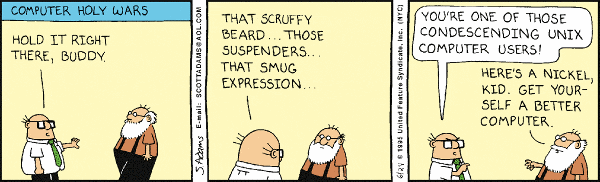
But sometimes the expression is used humbly, as in Brian Carper’s article Emacs isn’t for everyone. There are some arrogant Emacs users out there, but Brian isn’t one of them, at least not as far as I can tell by reading his article. He simply discusses some of the pros and cons of the software and explains why some people would be better served by another tool.

Dilbert.com

I hope you’ll keep reading even if you have no interest in Emacs. This isn’t a post about Emacs per se. It’s about some of the things the article made me think of.

The majority of software development articles either advocate the author’s tool of choice or complain about a tool the author is forced to use. (See Ford-Chevy arguments in tech for a possible explanation.) Articles that frankly discuss pros and cons are rare. Here’s a sentence from the article I particularly liked.

Mastering an arcane text editor isn’t necessarily going to be on the top of the list of everyone’s goals in life, especially when there are other editors that are easier to use and give you a significant subset of what Emacs would give you.

That’s a far cry from “Maybe you’re not smart enough to use Emacs.”

I also appreciated that the article wasn’t overly pragmatic. It wasn’t just a dry cost-benefit analysis. Brian explains

I didn’t learn Emacs with the goal of being productive. I learned it for the same reason some people build cars in their garages, while most people just buy a one and drive it to and from work every day. … For me, productivity was a beneficial side-effect.

Every once in a while you’ll see someone say they use a tool for fun. For instance, I’ve heard several people say they were burned out on programming until they discovered Perl or Ruby. But it’s far more common for someone to say “This made me more productive.” than to honestly admit “I enjoy tinkering with this.” The two probably go hand in hand: you’ll probably be more productive using a tool you enjoy tinkering with even if in some objective sense it’s inferior to another tool.

Related posts:

Doing good work with bad tools
Chauffeurs and Ferraris revisited
Emacs a few weeks later

{ 7 comments }

Losing patience with wastes of time

by John on May 27, 2010

Peter Bergman wrote an HBR blog post last week How (any Why) to Stop Multitasking. Bergman tried to stop multitasking for a week as an experiment. His post lists six benefits from his experiment including this observation:

I lost all patience for things I felt were not a good use of my time.

Multitasking can mask the pain of doing something that doesn’t need to be done.

Thanks to Neal Richter for pointing out this article.

Update: See this post on the study that Bergman quotes on how multitasking lowers your IQ more than smoking marijuana does. The study made a big splash even though it had a ridiculous design.

Related posts:

C-State and F-State
Multitasking makes us shallow
A sort of opposite to Parkinson’s law

{ 4 comments }

Burnout

by John on April 19, 2010

Here’s the best explanation of burnout I’ve seen:

… burning out isn’t just about work load, it’s about work load being greater than the motivation to do work.

The context is a former consultant saying that heavy course loads at MIT did not burn him out, but an easy job doing dishonest consulting work did.

From The story BCG offered me $16,000 not to tell.

Related post:

The most subtle of the seven deadly sins

{ 4 comments }

Confusing familiar with simple

by John on March 25, 2010

Is Spanish simpler than Chinese? Most English speakers would think so, though that may not be true. Spanish is more familiar than Chinese if you’re an English speaker, but that does not mean the language is objectively simpler. In fact, linguists have a theory that all human languages are about equally complex, though they allocate their complexity in different areas. For example, Chinese has a complex tonal system, but I’ve been told its grammar is relatively simple.

We often confuse familiar with simple. Rich Hickey makes this observation in the context of programming languages, though the principle applies much more generally.

I think programmers have become inured to incidental complexity, in particular by confusing familiar or concise with simple. And when they encounter complexity, they consider it a challenge to overcome, rather than an obstacle to remove. Overcoming complexity isn’t work, it’s waste.

In some sense the familiar is simple. Familiar things have less perceived complexity, and sometimes perceived complexity is all that counts. But perceived complexity is personal. We can forget that familiarity clouds our judgment about complexity. We may recommend something familiar but complex to someone else who finds it unfamiliar and complex. Teachers have to keep in mind what students find complex. Programmers have to keep in mind what users find complex. Doctors have to keep in mind what patients find complex.

However, familiarity and perceived complexity can be deceiving even though no one else is involved. You may find something familiar and not realize how much effort you’re devoting to fighting its complexity. It’s easy to assume that things must be as complex as they are. I didn’t realize how complex clarinet was until I learned to play saxophone. I didn’t realize how complex C++ was until I had some experience with other programming languages. I didn’t realize how complex some desktop software was until I tried online alternatives.

The complexity of the familiar may not be apparent until you look closer. Nothing could be more familiar than the experience that the sun and planets go around the earth. That is a simple explanation until you look at orbits more carefully. Then you start introducing epicycles on top of epicycles to preserve the earth-centric model.  You may find that what you thought was simple was only familiar, and that what you dismissed as more complex was only less familiar.

{ 5 comments }

Ford-Chevy arguments in tech

by John on March 22, 2010

If you’ve never heard a Ford-Chevy argument, you may find it hard to believe that such things exist. People actually get into arguments, sometimes violent arguments, over which trucks are better, Ford or Chevy.

More generally, a Ford-Chevy argument is an emotionally charged debate over the merits of two similar things with each side fiercely loyal to its position. These arguments look silly to outsiders but are serious to insiders. We all have our Ford-Chevy topics.

Have you ever gotten into a Mac versus PC argument? Emacs versus vi? Your favorite programming language versus some inferior language? How about your profession versus some rival profession? Your favorite sports team versus a competitor?

Thomas Gideon recently recorded a podcast on software tools. Gideon gives a good explanation for why we have technical Ford-Chevy arguments.

The time needed to gain mastery over a single deep tool usually precludes being able to learn anything else in that category. Pointing out feature differences, ones that may paint your chosen tool in an unflattering light, can make you defensive without realizing it. … how much effort you put in is being called into question, and to a degree, if only subconsciously, your intelligence or judgment may also be questioned by implication.

When you’ve made a large investment in time or money, you don’t want to hear someone question that investment. You may feel that your intelligence or judgment is being called into question. You may fear that you’ve picked the wrong tool but don’t have the time or energy to learn an alternative.

I’d like to think I’m above Ford-Chevy arguments, but I’m not. I would never get into a literal Ford-Chevy argument because I don’t care about trucks. But I could easily fall into a Ford-Chevy–type argument about something I care more about.

It’s no surprise that emotional factors influence our choice of music or clothes. But it is surprising how much emotional factors influence even highly technical decisions. For example, people often choose statistical methods for emotional reasons, though they would never admit it. Once we make a decision, we come up with rational justifications after the fact. This applies to choosing a computer or a statistical method just as much as it applies to choosing a truck or pair of shoes.

Read a few of the over 6,500 comments on the video to get a taste of a real Ford-Chevy argument.

Related post: Doing good work with bad tools

{ 7 comments }

Emacs

by John on March 16, 2010

Emacs is a text editor with ambitions to be an operating system. I do not use Emacs, though I once did, and I still find it intriguing. I’d like to find something similar that acts more like a Windows program.

GNU Emacs began in 1984 and has been in constant development ever since. The current version is 23.1. How many applications from 1984 are still in widespread use today? The only other one that comes to mind is TeX.

I used Emacs in graduate school and for a few years after that. I was fairly fluent with Emacs, though I never customized it much. I intended to learn Emacs Lisp and all that, but it never happened.

When I started developing Windows software I used Emacs at first, but the benefits of Visual Studio soon persuaded me give up my old editor. It was much easier to go with the flow.

I’ve revisited Emacs a couple times over the years. I still have some of the keystrokes burned into my memory. I use it on Linux now and then, but I mostly work on Windows, and my experience using Emacs on Windows has been frustrating to say the least. Tasks that are trivial in any Windows application, such as printing and spell checking, are surprisingly difficult to set up in Emacs. I’m sure it is possible to resolve these problems, though I never did.

The problems with printing and spell checking are part of the larger issue that Emacs is so idiosyncratic. It behaves nothing like a typical Windows program. Some people may say that’s a good thing. But it makes life more complicated if you switch between Emacs and more conventional Windows software.

Emacs is no more a typical Mac application than it is a typical Windows application. And yet my impression is that this is less of a problem for Mac users. I’d like to understand whether this is true and if so why.

One of the things I liked about Emacs was the way you could “live” there. An expert Emacs user might work inside Emacs all day, using it as an editor, debugger, shell, file system explorer, email program, etc. Steve Yegge is such an expert. When he blogged about his move from Windows to Mac,  he said the main reason for the switch was that he prefers the appearance of the fonts on a Mac. Changing operating systems was not a big deal for Yegge because he didn’t really live in Windows before, nor does he live in OS X now. He lives in Emacs. He concluded his essay by saying

So I’ll keep using my Macs. They’re all just plumbing for Emacs, anyway. And now my plumbing has nicer fonts.

Living inside Emacs comes at a price. Part of that price is writing lots of Emacs Lisp to glue things together. Another part of that price is the commitment to practicing using Emacs. As Yegge says elsewhere

… you need to make a serious, lifelong commitment to Emacs in order to master it. … So it’s not an editor for the faint of heart …

Yikes! I’m not ready to make a serious, lifelong commitment to a piece of software. To my wife? Yes. To my text editor? No.

One of the best features of Emacs is that it has custom “modes” for various kinds of files. Instead of using a separate program for editing every kind of file, Emacs users use one program with different modes. As soon as a new file type comes out, say for a new programming language, someone will post an Emacs mode for that new language.

I’d like to find an editor on Windows that is analogous to Emacs. By that I mostly have in mind a powerful, highly configurable editor with support for many file types. I’d want it to behave like a Windows application, not a foreign transplant, and integrate well with .NET.

There was a project to create such an editor, nicknamed Emacs.NET. It was announced in late 2007. It sounds like the project is still alive, but it doesn’t seem all that promising.

I’ve looked at a few Windows editors that claim to be highly configurable but are not well documented. So if such an editor is configurable, it’s configurable for the person who wrote it or possibly for anyone else willing to study the source code.

Any suggestions for a general purpose Windows editor? For starters, I’d be pleased to find something that’s good at editing LaTeX and HTML.

Update (2 April 2010): I’ve decided to give Emacs another try.

Related posts:

This post started out as an update to my earlier post One program to rule them all.

{ 26 comments }