Just change the key

When I was a kid, I suppose sometime in my early teens, I was interested in music theory, but I couldn’t play piano. One time I asked a lady who played piano at our church to play a piece of sheet music for me so I could hear how it sounded. The music was in the key of A, but she played it in A♭. She didn’t say she was going to change the key, but I could tell from looking at her hands that she had.

Key signatures of A sharp, A flat

I was shocked by the audacity of changing the music to be what you wanted it to be rather than playing what was on the page. I was in band, and there you certainly don’t decide unilaterally that you’re going to play in a different key!

In retrospect what the pianist was doing makes sense. Hymns are very often in the key of A♭. One reason is it’s a comfortable key for SATB singing. Another is that if many hymns are in the same key, that makes it easy to go from one directly into another. If a traditional hymn is not in A♭, it’s probably in a key with flats, like B♭ or D♭. (Contemporary church music is often in keys with sharps because guitarists like open strings, which leads to keys like A or E.)

The pianist wasn’t a great musician, but she was good enough. Picking her key was a coping mechanism that worked well. Unless someone in the congregation has perfect pitch, you can change a song from the key of D to the key of D♭ and nobody will know.

There’s something to be said for clever coping mechanisms, especially if they’re declared, “You asked for A. Is it OK if I give you B?” It’s better than saying “Sorry, I can’t help you.”

Experiences with GPT-5-Codex

OpenAI Codex is now generally available (see here, here). I’m using the Codex extension in the Cursor code editor with my OpenAI account.

Codex is very helpful for some tasks, such as complex code refactoring, implementing skeleton code for an operation, or writing a single small self-contained piece of code. Models have come a long way from a year ago when bugs in a 30-line piece of generated code were not uncommon.

Some have reported 40-60% overall productivity increase from coding agents. I used Codex recently for a complicated code refactoring that I estimate would have taken over 10x more time to plan and execute without an assistant.

The coding agent is less effective for some other tasks. For example, I asked it to ensure that all Python function signatures in my code had type hints, and it missed many cases.

Also, some have reported that the new Claude Sonnet 4.5 runs much faster, though Codex is being continually improved.

Obviously to be effective, these models must have access to adequate test case coverage, to enable the models to debug against. Without this, the coding agent can get really lost.

My approach to using the agent is very hands-on. Before letting it make any changes, I discuss the change plan in detail and make corrections as needed. (I sometimes need to remind the agent repeatedly to wait until I say “start” before commencing changes). Also when appropriate, I ask the model to make changes one step at a time instead of all in one go. This not only makes for a result that is more understandable and maintainable by humans, but also is more likely to give a good quality result.

Some have cautioned of the hazards of using coding agents. One concern is that a rogue coding agent could do something drastic like delete your code base or data files (both theoretically, and for some models, actually). One remedy is to set up your own sandbox to run the agent in, for example, a virtual machine, that has very locked-down access and no access to sensitive data. This may be cumbersome for some workflows, but for others may be a good security measure.

Also, some have warned that an agent can introduce dangerous security bugs in code. A remedy for this is to manually review every piece of code that the agent produces. This introduces some added developer overhead, though still in my experience it is much faster than writing the same code without the agent. And it is much better than just pushing a button to generate a big blob of incomprehensible code.

Coding agents have greatly improved over the last several months. Software development practices are presently passing through a point of no return, permanently changed by the new AI-enabled coding assistants. Even very bright people, who are already extremely skilled, are benefitting from using these tools.

The AI fork in the road

If AI can do part of your job, you’re likely to either be fired or promoted.

AI will always have some error rate, and if it can do your job at an acceptable error rate, you’ll need to find another job.

But if the error rate is not acceptable, the ability to identify and fix errors becomes more valuable.

People with the experience to recognize errors and fix them quickly are more productive when delegating work to AI. Higher productivity should result in higher wages, though you may have to become self-employed to be paid more for getting more done.

Contractors and consultants are more often paid in proportion to the value of their work than salaried employees are, especially since 1971.

Recognizing errors takes experience. This is especially true of LLM-generated errors because LLMs always return plausible results (according to some model) though they do not always return correct results.

Scientific papers: innovation … or imitation?

Sometimes a paper comes out that has the seeds of a great idea that could lead to a whole new line of pioneering research. But, instead, nothing much happens, except imitative works that do not push the core idea forward at all.

For example the McCulloch Pitts paper from 1943 showed how neural networks could represent arbitrary logical or Boolean expressions of a certain class. The paper was well-received at the time, brilliantly executed by co-authors with diverse expertise in neuroscience, logic and computing. Had its significance been fully grasped, this paper might have, at least notionally, formed a unifying conceptual bridge between the two nascent schools of connectionism and symbolic AI (one can at least hope). But instead, the heated conflict in viewpoints in the field has persisted, even to this day.

Another example is George Miller’s 7 +/- 2 paper. This famous result showed humans are able to hold only a small number of pieces of information in mind at the same time while reasoning.  This paper was important not just for the specific result, but for the breakthrough in methodology using rigorous experimental noninvasive methods to discover how human thinking works—a topic we know so little about, even today. However, the followup papers by others, for the most part, only extended or expanded on the specific finding in very minor ways. [1] Thankfully, Miller’s approach did eventually gain influence in more subtle ways.

Of course it’s natural from the incentive structures of publishing that many papers would be primarily derivative rather than original. It’s not a bad thing that, when a pioneering paper comes out, others very quickly write rejoinder papers containing evaluations or minor tweaks of the original result. Not bad, but sometimes we miss the larger implications of the original result and get lost in the details.

Another challenge is stovepiping—we get stuck in our narrow swim lanes for our specific fields and camps of research. [2] We don’t see the broader implications, such as connections and commonalities across fields that could lead to fruitful new directions.

Thankfully, at least to some extent current research in AI shows some mix of both innovation and imitation. Inspired in part by the accelerationist mindset, many new papers appear every day, some with significant new findings and others that are more modest riffs on previous papers.

Notes

[1] Following this line of research on human thought processes could be worthwhile for various reasons. For example, some papers in linguistics state that Chomsky‘s vision for a universal grammar is misguided because the common patterns in human language are entirely explainable by the processing limitations of the human mind. But this claim is made with no justification or methodological rigor of any kind. If I claimed a CPU performs vector addition or atomic operations efficiently because of “the capabilities of the processor,” I would need to provide some supporting evidence, for example, documenting that the CPU has vector processing units or specialized hardware for atomics. The assertions about language structure being shaped by the human mental processing faculty is just an empty truism, unless supported by some amount of scientific rigor and free of the common fallacies of statistical reasoning.

[2] I recently read a paper in linguistics with apparent promise, but the paper totally misconstrued the relationship between Shannon entropy and Kolmogorov complexity. Sadly this paper passed review in a linguistic journal, but if it had had a mathematically inclined reviewer, the problem would have been caught and fixed.


Standing with Intellectual Giants


Is it possible to come up with truly innovative ideas when you’re not part of the institutions where the expertise resides?

According to one study, the answer would seem to be “No.” The book, The Sociology of Philosophies by Randall Collins, makes a case for how great ideas through history have always developed, almost without fail, in connection with the expert community.

Organizations, institutions and even loose associations of individuals can possess tacit knowledge giving a competitive moat that is hard for outsiders to cross. This may include explicit trade secrets and technical facts, but also certain thought styles, rules of thumb, recipes, etc., that reside only in the minds of the participants.

Sometimes these thought styles are more important than the bare facts themselves. In a recent interview, Terence Tao commented that sometimes his most appreciated lectures are those in which he makes a mistake and must show his thought process in real time for how he fixes the problem. By learning, not just what the solution is but how to approach the problem, one can be enabled to solve many problems, not just one.

Sometimes such learning occurs when a corporation or other institution imprints its attitudes, thought styles and mental habits onto its members over a period of time.

The book Sociology of Philosophies, however, may have a fatal flaw. In determining what is a great idea, the book, perhaps circularly, relies on the authority of what institutions say is a great idea—thus potentially arriving at the conclusion as a tautology. Diffusion of ideas may be a better tool for looking at the problem, by looking at societal impact rather than just elite opinion.

An opposite idea is the notion of maverick science—knowledge developed outside of the institutions, often ridiculed and sometimes vindicated.  Some ideas like open source software were developed from a purposely anti-institutional perspective (thus spawning a new community of its own). Maverick thinking may be more important now than ever, as many institutions have become moribund (for perspectives see here and here).

Opportunities for the maverick may be better now than ever. For one, the Internet, and particularly the prevalence of online talks and lectures, a trend accelerated during Covid, make expert knowledge more accessible than ever. Second, AI chatbots now allow you to ask questions of this content, playing something of a mentoring role. It’s a better time than ever for institutional outsiders to do worthwhile things.


Thinking by playing around

Richard Feynman’s Nobel Prize winning discoveries in quantum electrodynamics were partly inspired by his randomly observing a spinning dinner plate one day in the cafeteria. Paul Feyerabend said regarding science discovery, “The only principle that does not inhibit progress is: anything goes” (within relevant ethical constraints, of course).

Ideas can come from anywhere, including physical play. Various books can improve creative discovery skills, like George Pólya’s How to Solve It, Isaac Watts’ Improvement of the Mind, W. J. J. Gordon’s Synectics, and methodologies like mind mapping and C-K theory, to name a few. Many software products present themselves as shiny new tools promising help. However, we are not just disembodied minds interacting with a computer, but instead integrated beings with reasoning integrated with memories, life history, emotions and multisensory input and interaction with the world The tactile is certainly a key avenue of learning, discovering, understanding.

Fidget toys are popular. Different kinds of toys have different semiotics with respect to how they interplay with our imaginations. Like Legos. Structured, like Le Corbusier-style architecture, or multidimensional arrays or tensors, or the snapping together of many software components with well-defined interfaces, with regular scaling from the one to many. Or to take a much older example, Tinkertoys—the analogy of the graph, interconnectedness, semi-structured but composable, like DNA or protein chains, or complex interrelated biological processes, or neuronal connections, or the wild variety within order of human language.

As creative workers, we seek ideas from any and every place to help us in what we do. The tactile, the physical, is a vital place to look.

Choosing a Computer Language for a Project

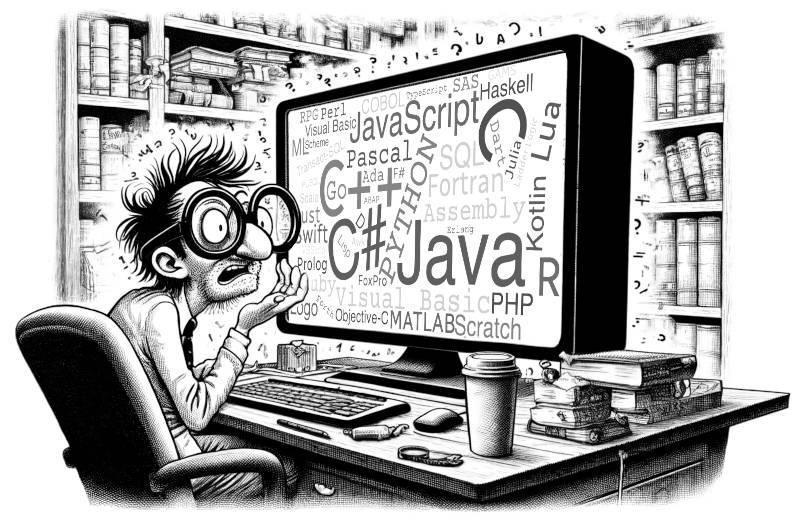
Julia. Scala. Lua. TypeScript. Haskell. Go. Dart. Various computer languages new and old are sometimes proposed as better alternatives to mainstream languages. But compared to mainstream choices like Python, C, C++ and Java (cf. Tiobe Index)—are they worth using?

Certainly it depends a lot on the planned use: is it a one-off small project, or a large industrial-scale software application?

Yet even a one-off project can quickly grow to production-scale, with accompanying growing pains. Startups sometimes face a growth crisis when the nascent code base becomes unwieldy and must be refactored or fully rewritten (or you could do what Facebook/Meta did and just write a new compiler to make your existing code base run better).

The scope of different types of software projects and their requirements is so incredibly diverse that any single viewpoint from experience runs a risk of being myopic and thus inaccurate for other kinds of projects. With this caveat, I’ll share some of my own experience from observing projects for many dozens of production-scale software applications written for leadership-scale high performance computing systems. These are generally on a scale of 20,000 to 500,000 lines of code and often require support of mathematical and scientific libraries and middleware for build support, parallelism, visualization, I/O, data management and machine learning.

Here are some of the main issues regarding choice of programming languages and compilers for these codes:

1. Language and compiler sustainability. While the lifetime of computing systems is measured in years, the lifetime of an application code base can sometimes be measured in decades. Is the language it is written in likely to survive and be well-supported long into the future? For example, Fortran, though still used and frequently supported, is a less common language thus requiring special effort from vendors, with fewer developer resources than more popular languages. Is there a diversity of multiple compilers from different providers to mitigate risk? A single provider means a single point of failure, a high risk; what happens if the supplier loses funding? Are the language and compilers likely to be adaptable for future computer hardware trends (though sometimes this is hard to predict)? Is there a large customer base to help ensure future support? Similarly, is there an adequate pool of available programmers deeply skilled in the language? Does the language have a well-featured standard library ecosystem and good support for third-party libraries and frameworks? Is there good tool support (debuggers, profilers, build tools)?

2. Related to this is the question of language governance. How are decisions about future updates to the language made? Is there broad participation from the user community and responsiveness to their needs? I’ve known members of the C++ language committee; from my limited experience they seem very reasonable and thoughtful about future directions of the language. On the other hand, some standards have introduced features that scarcely anyone ever uses—a waste of time and more clutter for the standard.

3. Productivity. It is said that programmer productivity is limited by the ability of a few lines of code to express high level abstractions that can do a lot with minimal syntax. Does the language permit this? Does the language standard make sense (coherent, cohesive) and follow the principle of least surprise? At the same time, the language should not engulf what might better be handled modularly by a library. For example, a matrix-matrix product that is bound up with the language might be highly productive for simple cases but have difficulty supporting the many variants of matrix-matrix product provided for example by the NVIDIA CUTLASS library. Also, in-language support for CUDA GPU operations, for example, would make it hard for the language not to lag behind in support of the frequent new releases of CUDA.

4. Strategic advantage. The 10X improvement rule states that an innovation is only worth adopting if it offers 10X improvement compared to existing practice according to some metric . If switching to a given new language doesn’t bring significant improvement, it may not be worth doing. This is particularly true if there is an existing code base of some size. A related question is whether the new language offers an incremental transition path for an existing code to the new language (in many cases this is difficult or impossible).

5. Performance (execution speed). Does the language allow one to get down to bare-metal performance rather than going through costly abstractions or an interpreter layer? Are the features of the underlying hardware exposed for the user to access? Is performance predictable? Can one get a sense of the performance of each line of code just by inspection, or is this occluded by abstractions or a complex compilation process? Is the use of just-in-time compilation or garbage collection unpredictable, which could be a problem for parallel computing wherein unexpected “hangs” can be caused by one process unexpectedly performing one of these operations? Do the compiler developers provide good support for effective and accurate code optimization options? Have results from standardized non-cherry-picked benchmarks been published (kernel benchmarks, proxy apps, full applications)?

Early adopters provide a vibrant “early alert” system for new language and tool developments that are useful for small projects and may be broadly impactful. Python was recognized early in the scientific computing community for its potential complementary use with standard languages for large scientific computations. When it comes to planning large-scale software projects, however, a range of factors based on project requirements must be considered to ensure highest likelihood of success.


How to Organize Technical Research?


64 million scientific papers have been published since 1996 [1].

Assuming you can actually find the information you want in the first place—how can you organize your findings to be able to recall and use them later?

It’s not a trifling question. Discoveries often come from uniting different obscure pieces of information in a new way, possibly from very disparate sources.

Many software tools are used today for notetaking and organizing information, including simple text files and folders, Evernote, GitHub, wikis, Miro, mymind, Synthical and Notion—to name a diverse few.

AI tools can help, though they can’t always recall correctly and get it right, and their ability to find connections between ideas is elementary. But they are getting better [2,3].

One perspective was presented by Jared O’Neal of Argonne National Laboratory, from the standpoint of laboratory notebooks used by teams of experimental scientists [4]. His experience was that as problems become more complex and larger, researchers must invent new tools and processes to cope with the complexity—thus “reinventing the lab notebook.”

While acknowledging the value of paper notebooks, he found electronic methods essential because of distributed teammates. In his view many streams of notes are probably necessary, using tools such as GitLab and Jupyter notebooks. Crucial is the actual discipline and methodology of notetaking, for example a hierarchical organization of notes (separating high-level overview and low-level details) that are carefully written to be understandable to others.

A totally different case is the research methodology of 19th century scientist Michael Faraday. He is not to be taken lightly, being called by some “the best experimentalist in the history of science” (and so, perhaps, even compared to today) [5].

A fascinating paper [6] documents Faraday’s development of “a highly structured set of retrieval strategies as dynamic aids during his scientific research.” He recorded a staggering 30,000 experiments over his lifetime. He used 12 different kinds of record-keeping media, including lab notebooks proper, idea books, loose slips, retrieval sheets and work sheets. Often he would combine ideas from different slips of paper to organize his discoveries. Notably, his process to some degree varied over his lifetime.

Certain motifs emerge from these examples: the value of well-organized notes as memory aids; the need to thoughtfully innovate one’s notetaking methods to find what works best; the freedom to use multiple media, not restricted to a single notetaking tool or format.

Do you have a favorite method for organizing your research? If so, please share in the comments below.

References

[1] How Many Journal Articles Have Been Published? https://publishingstate.com/how-many-journal-articles-have-been-published/2023/

[2] “Multimodal prompting with a 44-minute movie | Gemini 1.5 Pro Demo,” https://www.youtube.com/watch?v=wa0MT8OwHuk

[3] Geoffrey Hinton, “CBMM10 Panel: Research on Intelligence in the Age of AI,” https://www.youtube.com/watch?v=Gg-w_n9NJIE&t=4706s

[4] Jared O’Neal, “Lab Notebooks For Computational Mathematics, Sciences, Engineering: One Ex-experimentalist’s Perspective,” Dec. 14, 2022, https://www.exascaleproject.org/event/labnotebooks/

[5] “Michael Faraday,” https://dlab.epfl.ch/wikispeedia/wpcd/wp/m/Michael_Faraday.htm

[6] Tweney, R.D. and Ayala, C.D., 2015. Memory and the construction of scientific meaning: Michael Faraday’s use of notebooks and records. Memory Studies8(4), pp.422-439. https://www.researchgate.net/profile/Ryan-Tweney/publication/279216243_Memory_and_the_construction_of_scientific_meaning_Michael_Faraday’s_use_of_notebooks_and_records/links/5783aac708ae3f355b4a1ca5/Memory-and-the-construction-of-scientific-meaning-Michael-Faradays-use-of-notebooks-and-records.pdf


What’s the Best Code Editor?

Emacs, vi, TextEdit, nano, Sublime, Notepad, Wordpad, Visual Studio, Eclipse, etc., etc.—everyone’s got a favorite.

I used Visual Studio previously and liked the integrated debugger. Recently I started using VS again and found the code editing windows rather cluttered. Thankfully you can tone this down, if you can locate the right options.

Eclipse for Java has instantaneous checking for syntax errors. I have mixed feelings on this. Perhaps you could type a little more code before getting a glaring error message?

Concerning IDEs (integrated development environments) like this—I’ve met people who think that a full GUI-based IDE is the only way to go. Maybe so. However , there’s another view.

You’d think if anyone would know how to write code quickly, accurately and effectively, it would be world-class competitive programmers. They’re the best, right?

One of the very top people is Gennady Korotkevich. He’s won many international competitions.

What does he use? Far Manager, a text-based user interface tool with a mere two panels and command prompt. It’s based on 1980s pre-GUI file manager methodologies that were implemented under DOS.

It reminds me of a conversation I had with our admin when I was in grad school. I asked, “Why do you use vi instead of MS Word for editing documents?” Answer: “I like vi because it’s faster—your fingers never need to leave the keyboard.”

Admittedly, not all developer workflows would necessarily find this approach optimal. But still it makes you think. Sometimes the conventional answer is not the best one.

Do you have a favorite code editor? Please let us know in the comments.

Avoiding Multiprocessing Errors in Bash Shell


Suppose you have two Linux processes trying to modify a file at the same time and you don’t want them stepping on each other’s work and making a mess.  A common solution is to use a “lock” mechanism (a.k.a. “mutex”). One process “locks the lock” and by this action has sole ownership of a resource in order to make updates, until it unlocks the lock to allow other processes access.

Writing a custom lock in Linux bash shell is tricky. Here’s an example that DOESN’T work right:

#/bin/bash
let is_locked=1 # helper variable to denote locked state
mylockvariable=$(cat mylockfile 2>/dev/null)  # read the lock
while [ "$mylockvariable" != $is_locked ]  # loop until unlocked
do
    sleep 5 # wait 5 seconds to try again 
    mylockvariable=$(cat mylockfile 2>/dev/null)  # read again
done
echo $is_locked > mylockfile  # lock the lock
# >>> do critical work safely here <<<
# >>> ERROR: NOT SAFE <<<
rm mylockfile  # unlock the lock

Here the lock value is stored in a shared resource, the file “mylockfile”. If the file exists and contains the character “1”, the lock is considered locked; otherwise, it is considered unlocked.  The code will loop until the lock is unlocked, then acquire the lock, do the required single-process work, and then release the lock.

However, this code can fail without warning: suppose two processes A and B execute this code concurrently. Initially the lock is in an unlocked state. Process A reads the lockfile. Then suppose immediately after this, Process A is temporarily interrupted, perhaps to give CPU cycles to run Process B. Then, suppose Process B begins, reads the lock, locks the lock and starts doing its critical work. Suppose now Process B is put into wait state and Process A is restarted. Process A, since it previously read the lockfile, wrongly believes the lock is unlocked, thus proceeds to also lock the lock and do the critical work—resulting in a mess.

This is an example of a classic race condition, in which the order of execution of threads or processes can affect the final outcome of execution.

A solution to this conundrum is found in the excellent book, Unix Power Tools [1,2]. This is a hefty tome but very accessibly written, for some people well worth a read-through to pick up a slew of time-saving tips.

The problem with the example code is the need to both read and set the lock in a single, indivisible (atomic) operation. Here’s a trick to do it:

#/bin/bash
until (umask 222; echo > mylockfile) 2>/dev/null  # check and lock
do  # keep trying if failed
    sleep 5 # wait 5 seconds to try again 
done
# >>> do critical work safely here <<<
rm -f mylockfile  # unlock the lock

Here, the existence of the lockfile itself is the indicator that the lock is set. Setting the umask makes this file creation fail if the file already exists, triggering the loop to activate to keep trying. This works because the existence of a file can either be true or false and nothing else; the existence of a file is guaranteed atomicity by the OS and the filesystem. Thus, assuming the system is working correctly, this code is guaranteed to produce the desired behavior.

Race conditions can be a nuisance to find since their occurrence is nondeterministic and can be rare but devastating. Writing correct code for multiple threads of execution can be confusing to those who haven’t done it before. But with experience it becomes easier to reason about correctness and spot such errors.

References:

[1] Peek, Jerry D., Shelley Powers, Tim O’Reilly and Mike Loukides. “Unix Power Tools, Third Edition.” (2002), https://learning.oreilly.com/library/view/unix-power-tools/0596003307/

[2] https://learning.oreilly.com/library/view/unix-power-tools/0596003307/ch36.html#:-:text=Shell%20Lockfile