From the category archives:

Software development

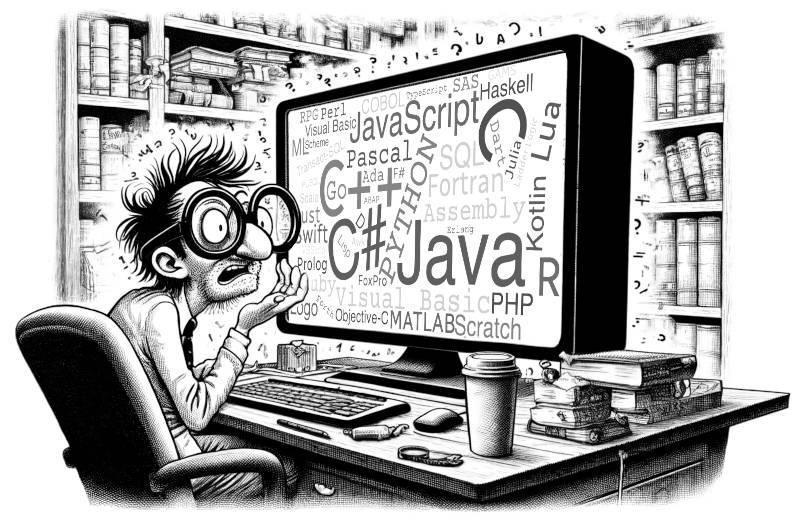
Programming language popularity

by John on February 9, 2012

Here are two ways of measuring programming language popularity:

  1. Rank by number of questions tagged with that language on Stack Overflow
  2. Rank by number of project on GitHub using that language

According to this article, these two measures are well correlated.

I’d be skeptical of either metric by itself. A large number of questions on a language could indicate that it’s poorly documented, for example, rather than popular. And GitHub projects may not representative. But the two measures give similar pictures of the programming language landscape, so together they have more credibility. On the other hand, both measures are probably biased in favor newer languages.

The RedMonk Programming Language Rankings: February 2012

{ 7 comments }

Perl One-Liners Explained

by John on February 4, 2012

Peteris Krumins has a new book, Perl One-Liners Explained. His new book is in the same style as his previous books on awk and sed, reviewed here and here.

All the books in this series are organized by task. For each task, there is a one-line solution followed by detailed commentary. The explanations frequently offer alternate solutions with varying degrees of concision and clarity. Sections are seldom more than one page long, so the books are easy to read a little at a time.

Programmers who have written a lot of Perl may still learn a few things from Krumins. In particular, those who have primarily written Perl in script files may not be familiar with some of the tricks for writing succinct Perl on the command line.

Other Perl posts:

All languages equally complex?
Periodic table of Perl operators
Three-hour-a-week language

{ 0 comments }

Preparing for change, expressing intent

by John on January 17, 2012

Many good programming practices boil down to preparing for change or expressing intent. It seems to me that novices emphasize the former, experts the latter.

One of the first things you learn in programming is to use symbolic constants rather than magic numbers. For example, if you have a maximum of 12 items in a shopping cart, define a constant like MAX_ITEMS to be 12 and use that symbol rather than the number “12″ throughout the code. That way if you have to increase the maximum to 25 some day, you can just make the change in one place. Symbolic constants prepare for change.

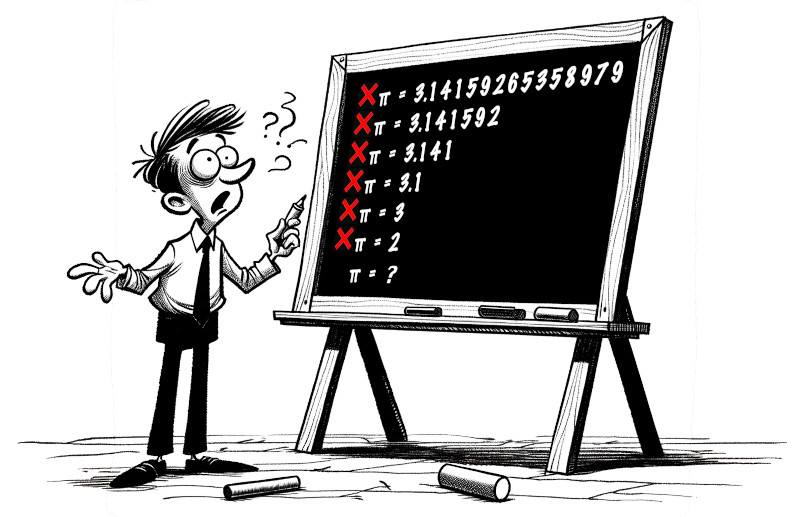
Sounds good, but then why define a constant for pi? It’s not going to change. But having a constant PI in source code conveys the intention of the number.

There are 3,628,800 seconds in six weeks. Coincidentally, this number also equals 10!. But constants like SECONDS_PER_SIX_WEEKS and TEN_FACTORIAL clearly convey where the numbers come from. That’s why it’s sometimes worthwhile to give one thing two names. The symbol SECONDS_PER_SIX_WEEKS looks like a conversion factor, while TEN_FACTORIAL makes you think somewhere there are 10 things being arranged. Using the symbols in the opposite context would be clever, but not in a good way.

Expressing intent is easier to justify than preparing for change. If you argue that some chunk of code should be pulled out into its own function in case it needs to change, someone may argue “But that’ll never change.” If you argue that the same chuck of code should be pulled out and given a name to express what it’s trying to do, you’re likely to get less resistance.

If you focus on making your intentions clear, your code will be easier to maintain. If you focus on maintainability alone, it might backfire. You might get lots of unneeded code, inserted with the intent of making future maintenance easier, that makes maintenance harder.

Related posts:

Why does software have to be maintained?
Holographic code
Bugs, features, and risk

{ 4 comments }

Bugs, features, and risk

by John on January 12, 2012

All software has bugs. Someone has estimated that production code has about one bug per 100 lines. Of course there’s some variation in this number. Some software is a lot worse, and some is a little better.

But bugs-per-line-of-code is not very useful for assessing risk. The risk of a bug is the probability of running into it multiplied by its impact. Some lines of code are far more likely to execute than others, and some bugs are far more consequential than others.

Devoting equal effort to testing all lines of code would be wasteful. You’re not going to find all the bugs anyway, so you should concentrate on the parts of the code that are most likely to run and that would produce the greatest harm if they were wrong.

However, here’s a complication. The probability of running into a bug can change over time as people use the software in new ways. For whatever reason people to want to use features that had not been exercised before. When they do so, they’re likely to uncover new bugs.

(This helps explain why everyone thinks his preferred software is more reliable than others. When you’re a typical user, you tread the well-tested paths. You also learn, often subconsciously, to avoid buggy paths. When you bring your expectations from an old piece of software to a new one, you’re more likely to uncover bugs.)

Even though usage patterns change, they don’t change arbitrarily. It’s still the case that some code is far more likely than other code to execute.

Good software developers think ahead. They solve more than they’re asked to solve. They think “I’m going to go ahead and include this other case while I’m at it in case they need it later.” They’re heroes when it turns out their guesses about future needs were correct.

But there’s a downside to this initiative. You pay for what you don’t use. Every speculative feature either has to be tested, incurring more expense up front, or delivered untested, incurring more risk. This suggests its better to disable unused features.

You cannot avoid speculation entirely. Writing maintainable software requires speculating well, anticipating and preparing for change. Good software developers place good bets, and these tend to be small bets, going to a little extra effort to make software much more flexible. As with bugs, you have to consider probabilities and consequences: how likely is this part of the software to change, and how much effort will it take to prepare for that change?

Developers learn from experience what aspects of software are likely to change and they prepare for that change. But then they get angry at a rookie who wastes a lot of time developing some unnecessary feature. They may not realize that the rookie is doing the same thing they are, but with a less informed idea of what’s likely to be needed in the future.

Disputes between developers often involve hidden assumptions about probabilities. Whether some aspect of the software is responsible preparation for maintenance or wasteful gold plating depends on your idea of what’s likely to happen in the future.

Related post: Why programmers write unneeded code

{ 10 comments }

Holographic code

by John on January 9, 2012

In a hologram, information about each small area of image is scattered throughout the holograph. You can’t say this little area of the hologram corresponds to this little area of the image. At least that’s what I’ve heard; I don’t really know how holograms work.

I thought about holograms the other day when someone was describing some source code with deeply nested templates. He told me “You can’t just read it. You can only step through the code with a debugger.” I’ve ran into similar code. The execution sequence of the code at run time is almost unrelated to the sequence of lines in the source code. The run time behavior is scattered through the source code like image information in a holograph.

Holographic code is an advanced anti-pattern. It’s more likely to result from good practice taken to an extreme than from bad practice.

Somewhere along the way, programmers learn the “DRY” principle: Don’t Repeat Yourself. This is good advice, within reason. But if you wring every bit of redundancy out of your code, you end up with something like Huffman encoded source. In fact, DRY is very much a compression algorithm. In moderation, it makes code easier to maintain. But carried too far, it makes reading your code like reading a zip file. Sometimes a little redundancy makes code much easier to read and maintain.

Code is like wine: a little dryness is good, but too much is bitter or sour.

Note that functional-style code can be holographic just like conventional code. A pure function is self-contained in the sense that everything the function needs to know comes in as arguments, i.e. there is no dependence on external state. But that doesn’t mean that everything the programmer needs to know is in one contiguous chuck of code. If you have to jump all over your code base to understand what’s going on anywhere, you have holographic code, regardless of what style it was written in. However, I imagine functional programs would usually be less holographic.

Related post: Baklava code

{ 30 comments }

Just what do you mean by ’scale’?

by John on January 4, 2012

“Fancy algorithms are slow when n is small, and n is usually small.” — Rob Pike

Someone might object that Rob Pike’s observation is irrelevant. Everything is fast when the problem size n is small, so design your code to be efficient for large n and don’t worry about small n. But it’s not that simple.

Suppose you have two sorting algorithms, Simple Sort and Fancy Sort. Simple Sort is more efficient for lists with less than 50 element and Fancy Sort is more efficient for lists with more than 50 elements.

You could say that Fancy Sort scales better. What if n is a billion? Fancy Sort could be a lot faster.

But there’s another way a problem could scale. Instead of sorting longer lists, you could sort more lists. What if you have a billion lists of size 40 to sort?

People toss around the term “scaling,” assuming everyone has the same notion of scaling. But projects could scale along different dimensions. Whether Simple Sort or Fancy Sort scales better depends on how the problem scales.

The sorting example just has two dimensions: the length of each list and the number of lists. Software trade-offs are often much more complex. The more dimensions a problem has, the more opportunities there are for competing solutions to each claim that it scales better.

Related posts:

{ 12 comments }

Convention versus compulsion

by John on December 24, 2011

An alternate title for this post could be “Software engineering wisdom from a lecture on economics given in 1945.”

F. A. Hayek gave a lecture on December 17, 1945 entitled “Individualism: True and False.” A transcript of the talk is published in his book Individualism and Economic Order. In this talk Hayek argues that societies must decide between convention and compulsion as means to coordinate activity. The former is preferable, in part because it is more flexible. Individualism depends on

… traditions and conventions which evolve in a free society and which, without being enforceable, establish flexible but normally observed rules that make behavior of other people predictable in a high degree.

Of course Hayek wasn’t thinking of software development, but his comments certainly are applicable to software development. Software engineers are fond of flexibility, but suspicious of rules that cannot be enforced by a machine. And yet there are some kinds of flexibility that require traditions and conventions rather than enforceable rules. Hayek looks beyond the letter of the law to the spirit: the purpose of rules in software engineering is to make the behavior of software (and software engineers) “predictable in a high degree.”

I’ve written a couple blog posts on this theme. One was Software architecture as a function of trust:

If you trust that your developers are highly competent and self-disciplined, you’ll organize your software differently than if you assume developers have mediocre skill and discipline. One way this shows up is the extent that you’re willing to rely on convention to maintain order. … In general, I see more reliance on convention in open source projects than in enterprise projects.

Another was a post on the architecture of Emacs:

In short, Emacs expects developers to be self-disciplined and does not enforce a great deal of external discipline. However, because the software is so light on bureaucracy, it is easy to customize and to contribute to.

The quotation from Hayek above continues:

The willingness to submit to such rules, not merely so long as one understands the reason for them but so long as one has no definite reason to the contrary, is an essential condition for the gradual evolution and improvement of rules of social intercourse … an indispensable condition if it is to be possible to dispense with compulsion.

Imagine a rookie programmer who joins a new team and only follows those conventions he fully understands. That’s not much better than the rookie doing whatever he pleases. The real benefit comes from his following the conventions he doesn’t yet understand (provided he “has no definite reason to the contrary”) because these distill the ideas of more experienced developers.

It takes time to pass on a set of traditions and conventions, especially to convey the rationale behind them. Machine-enforceable rules are a shortcut to establishing a culture.

Every project will be somewhere along a continuum between total reliance on convention and total reliance on rules a computer can check. Emacs is pretty far toward the conventional end of the spectrum, and enterprise Java projects are near the opposite end. If you want to move away from the compulsion end of the spectrum, you need more emphasis on convention.

Related post: Style and understanding

{ 5 comments }

The importance of being textual

by John on December 24, 2011

“When you feel the urge to design a complex binary file format, or a complex binary application protocol, it is generally wise to lie down until the feeling passes.” — Eric Raymond

Taken from the section of his book entitled The Importance of Being Textual.

{ 2 comments }

Most popular programming posts of 2011

by John on December 20, 2011

These have been my most popular programming-related posts this year.

  1. Why do C++ folks make things so complicated?
  2. Plumber programmers
  3. The myth of the Lisp genius
  4. How to delete pages from a PDF
  5. Programmers without computers

My favorite on the list is #5.

Post #4 was written in 2009, but it got a lot of traffic this year.

Thanks to everyone who shared these posts on Hacker News, Reddit, Twitter, etc.

{ 1 comment }

Web programming

by John on December 18, 2011

From Greg Brockman on Twitter:

Web programming is the science of coming up with increasingly complicated ways of concatenating strings.

{ 9 comments }

New programmer’s survival manual

by John on December 13, 2011

A computer science degree doesn’t prepare you to be a programmer. Here’s an excerpt from a blog post I wrote comparing computer scientists and programmers:

I had a conversation yesterday with someone who said he needed to hire a computer scientist. I replied that actually he needed to hire someone who could program, and that not all computer scientists could program. He disagreed, but I stood by my statement. I’ve known too many people with computer science degrees, even advanced degrees, who were ineffective software developers. Of course I’ve also known people with computer science degrees, especially advanced degrees, that were terrific software developers. The most I’ll say is that programming ability is positively correlated with computer science achievement.

How do you bridge the gap between obtaining a computer science degree and becoming a professional programmer? For years I’ve recommended that CS grads read Code Complete. Now I’d also recommend New Programmer’s Survival Manual by Josh Carter. This new book has some similarly to Code Complete. However, Code Complete is about good programming technique, not programming as a profession.

The Survival Manual has four parts:

  1. Professional Programming
  2. People Skills
  3. The Corporate World
  4. Looking Forward

The first part has the most similarity to Code Complete, though even there the two books are complementary. The second part, people skills, has some great advice, though I imagine most CS graduates will skim over this part because they don’t realize it is important.

CS students may do well to read the Survival Manual, especially parts one and three, to find out whether they want to be programmers. Some who find abstract computer science fascinating will find a typical programming sorely disappointing. See Mike Taylor’s post Whatever happened to programming.

A few of these may be able to find refuge as computer science professors, but not many. If you want to become a professor and think you’ll be able to get an academic job, watch So you want to get a PhD in theoretical computer science and read No, you cannot be a professor.

The Survival Manual assumes the majority programmers will be working in cube farms on enterprise software, which is true. But there is a small middle ground between enterprise development and academia, jobs that will give you a chance to use advanced computer science without having to write papers about it.

One reservation I have about this book is that it may be overwhelming. If you have a friend who is starting a new career as a programmer, maybe you could buy a copy of the Survival Manual and rip it into chapters. Then mail your friend one chapter a week.

Another reservation I have is that new CS graduates may not benefit much from the book because they won’t believe it. They may deny that the real world is as Josh Carter describes.

The people who may benefit the most from reading the Survival Manual are programmers with some experience who want to improve their skills. They may have learned through hard knocks about some of the challenges Carter writes about. Also, Carter describes life in a software shop with fairly high standards. Those who are used to producing lower quality software will do well to read about life in an organization with higher standards.

Related posts:

Where does programming effort go?
Coming full circle
Writing software is harder than writing books

{ 18 comments }

Three views of Windows and Unix

by John on December 9, 2011

Rob Pike gave a presentation in 2001 entitled “The Good, the Bad, and the Ugly: The Unix Legacy.” His main point is that diversity has been bad for Unix. He opens his presentation with a couple of quotes to set this up.

‘‘The number of UNIX installations has grown to 10, with more expected.’’ — The UNIX Programmer’s Manual, 2nd Edition, June, 1972.

The number of UNIX variants has grown to dozens, with more expected.

He discusses much more than diversity, and I believe the more interesting parts of his talk are on other topics, but he begins and ends with diversity. One of his last slides says

Microsoft succeeds not because it’s good, but because there’s only one of them. … Unixes of the World, Unite!

Joel Spolsky has a different take on the differences between the operating systems in his article Biculturalism. Spolsky says that Unix software is programmer-friendly but Windows software is user-friendly for the vast majority of users who are not programmers. But Spolsky does touch on the diversity issue that Pike raised.

For example, Unix has a value of separating policy from mechanism which, historically, came from the designers of X. This directly led to a schism in user interfaces; nobody has ever quite been able to agree on all the details of how the desktop UI should work, and they think this is OK, because their culture values this diversity, but for Aunt Marge it is very much not OK to have to use a different UI to cut and paste in one program than she uses in another.

Just to throw in my two cents worth, I’ll mention my blog post Where the Unix philosophy breaks down. The Unix philosophy is to write little programs that do one thing well, then sew these little programs together to do your work. The problem is that many people lack the desire or skill to do the sewing. They want to avoid the transaction costs of switching software applications. Pike alludes to this problem, dismissively saying that people want “hand-holding” rather than pipes.

I don’t think this desire for integrated applications is necessarily a problem for Unix, only for the Unix philosophy that Unix doesn’t follow too strictly. The emphasis on orthogonal programs is a laudable ideal. It just needs to be tempered a bit for the convenience of mortal users.

{ 19 comments }

Global variables

by John on December 1, 2011

Here’s an answer I gave on Stack Overflow to someone asking when it’s OK to use global variables.

Here’s a cheap way to get rid of all global variables: put all your code in one big fat class and change the global variables to member variables. Nothing has changed as far as the maintainability of your code, but technically it no longer has global variables.

It’s better to talk about size of scope than whether or not something is global. “Global” just means maximum scope. Instead of saying “global variables are bad,” I think it’s more helpful to say “minimize variable scope.”

A global variable in a 100-line program has a scope of 100 lines. But a member variable in a 1000-line class has a scope of 1000 lines. The latter may be worse.

{ 14 comments }

Fundamental theorem of code readability

by John on November 28, 2011

In The Art of Readable Code, the authors call the following the “Fundamental Theorem of Readability”:

Code should be written to minimize the time it would take for someone else to understand it.

They go on to explain

And when we say “understand,” we have a very high bar … they should be able to make changes to it, spot bugs, and understand how it interacts with the rest of your code.

{ 9 comments }

Readability

by John on November 28, 2011

The Readability bookmarklet lets you reformat any web to make it easier to read. It strips out flashing ads and other distractions. It uses black text on a white background, wide margins, a moderate-sized font, etc. I use Readability fairly often. (Instapaper is a similar service. I discuss it at the end of this post.)

Yesterday I used it to reformat an article on literate programming. For some inexplicable reason, the author chose to use a lemon yellow background. It’s ironic that the article is about making source code easier to read. The content of the article is easy to read, but the format is not.

Readability to the rescue! Here are before and after screen shots.

Before:

After:

I recommend the article, Example of Literate Programming in HTML, and I also recommend using reformatting the page unless you enjoy reading black text on a yellow background.

Readability did a good job until about half way through the article. The article has C and HTML code examples, and perhaps these confused Readability. (Readability usually handles code samples well. It correctly formats the first few code samples in this article.) The last half of the article renders like source code, and the font gets smaller and smaller.

I ran the page through an HTML validator to see whether some malformed HTML could be the source of the problem. The validator found numerous problems, so perhaps that was the issue.

I haven’t seen Readability fail like this before. I’ve been surprised how well it has handled some pages I thought might trip it up.

I ended up saving the article and editing its source, changing the bgcolor value to white. It’s a nice article on literate programming once you get past the formatting. The best part of the article is the first section, and that much Readability formats correctly.

Instapaper

Instapaper reformats web pages similarly. It produces a narrower column of text, but otherwise the output looks quite similar.

Instapaper did not discover the title of the literate programming article. (The title of the article was not in an <h1> tag as software might expect but was only in a <title> tag in the page header.) However, it did format the entire body of the article correctly.

I find it slightly more convenient to use the Readability bookmarklet than to submit a link to Instapaper. I imagine there are browser plug-ins that make Instapaper just as easy to use, though I haven’t looked into this because I’m usually satisfied with Readability.

Related posts:

Literate programming and statistics
Tricky code

{ 11 comments }